
Download Skelet AI – AI‑Powered Content Generator for Text, Images & Speech
Overview
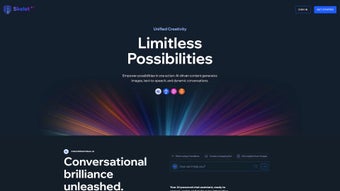
Skelet AI is a comprehensive, web‑based AI content generation platform that brings together cutting‑edge language models, image synthesis engines, and text‑to‑speech capabilities under a single, easy‑to‑navigate interface. Whether you are a marketer crafting persuasive ad copy, a blogger looking for fresh article ideas, an educator preparing multilingual learning material, or a designer needing royalty‑free visuals, Skelet AI offers a one‑stop solution that scales with your creative ambitions. The platform’s extensive library of ready‑made templates accelerates the workflow by providing pre‑structured layouts for blog posts, product descriptions, social media captions, newsletters, video scripts, and more. In addition to static content, Skelet AI’s chat assistant simulates a human‑like conversation, allowing you to ask follow‑up questions, refine drafts, or explore alternative angles in real time. A standout feature is its multilingual support: over 80 languages for image generation and 40 languages for text‑to‑speech, making it possible to produce globally resonant assets without switching tools. Skelet AI also respects legal constraints; it adheres to regional regulations governing the commercial use of AI‑generated images, giving users confidence that their published material won’t run afoul of copyright or usage policies. For those just testing the waters, a free tier provides limited credits, while tiered subscription plans unlock higher generation limits, priority processing, and advanced customization options. In short, Skelet AI blends power, flexibility, and compliance into a secure, cloud‑hosted environment that can be accessed from any modern browser.
Key Features
- Template Library: 150+ pre‑built templates covering blog posts, product pages, email newsletters, video scripts, social media graphics, and more.
- AI Text Generator: GPT‑4‑level language model that produces coherent, SEO‑friendly copy in seconds.
- Image Synthesis: Stable Diffusion‑based engine supporting 80+ languages for prompt input, delivering high‑resolution visuals ready for commercial use.
- Text‑to‑Speech (TTS): Natural‑sounding voice output in 40 languages, with adjustable speed, pitch, and gender options.
- Chat Assistant: Interactive chatbot that refines drafts, suggests synonyms, and answers content‑strategy questions on the fly.
- Multilingual Support: Seamless language switching for both text and image generation, ideal for global marketing campaigns.
- Compliance Engine: Built‑in checks that ensure generated images meet local commercial‑use regulations.
- Tiered Subscriptions: Free plan for exploration, Pro plan for moderate creators, and Enterprise plan for agencies with bulk credits and API access.
- Secure Cloud Infrastructure: End‑to‑end encryption, regular security audits, and GDPR‑compliant data handling.
- Continuous Updates: Monthly model upgrades and new template releases keep the tool at the forefront of AI creativity.
Installation & Usage Instructions
Getting Started – No Download Required
Skelet AI is a fully cloud‑based solution, which means there is no traditional installation process. All you need is a modern web browser (Chrome, Edge, Firefox, or Safari) and an internet connection. To begin, visit skelet.ai, click “Sign Up,” and choose either the free tier or a paid subscription that matches your workload. After confirming your email, you’ll land on the dashboard where the main navigation bar gives you instant access to the Text Generator, Image Builder, TTS Studio, and Template Hub.
Step‑by‑Step Workflow
- Select a Template: Browse the Template Library and pick the format that matches your project (e.g., “SEO Blog Post” or “Instagram Carousel”).
- Enter Your Prompt: Provide a brief description, target keyword, or desired tone. For images, type a descriptive phrase in any of the supported languages.
- Refine with the Chat Assistant: If the first output isn’t perfect, ask the assistant to “add more statistics,” “make it sound more casual,” or “generate a variant with a different color palette.”
- Generate & Review: Click “Generate.” The AI returns a draft in seconds. Use the inline editor to tweak headings, add links, or adjust the voice in the TTS module.
- Export or Publish: Download the content as a Word document, PDF, or directly publish to supported CMS platforms (WordPress, HubSpot). Images can be saved in PNG or JPEG formats; TTS files are available as MP3 or WAV.
Compatibility (itemprop="operatingSystem")
Because Skelet AI runs entirely in the browser, it is compatible with Windows 10/11, macOS Monterey and later, Linux distributions, as well as mobile operating systems like Android 9+ and iOS 14+. The responsive design ensures a smooth experience on tablets and smartphones, allowing creators to generate content on the go without sacrificing functionality.
Pros and Cons
Advantages
- All‑in‑one platform eliminates the need for multiple separate AI tools.
- Extensive template library speeds up content production.
- Multilingual support broadens market reach and improves SEO localization.
- Chat assistant provides real‑time refinement, reducing revision cycles.
- Compliance checks protect users from legal pitfalls when using generated images commercially.
- Scalable subscription model accommodates freelancers to large agencies.
- Secure, GDPR‑compliant cloud storage safeguards sensitive data.
Drawbacks
- Internet connection required; offline usage is not possible.
- Free tier imposes relatively low generation limits, which may be restrictive for heavy users.
- Advanced customization (e.g., fine‑tuning model parameters) is only available on Enterprise plans.
- Some niche languages have limited image generation quality compared to major languages.
- Learning curve for new users unfamiliar with AI prompt engineering.
Frequently Asked Questions
Is Skelet AI really free to use?
Yes, Skelet AI offers a free plan that includes a limited number of text, image, and TTS credits each month. This tier is perfect for testing the platform, creating small‑scale projects, or learning how the AI works before committing to a paid subscription.
Can I use the generated images for commercial purposes?
Absolutely. Skelet AI’s compliance engine verifies that all generated visuals meet regional commercial‑use regulations. As long as you stay within the usage limits defined by your subscription tier, you can safely publish the images on websites, ads, or product packaging.
How many languages does the Text‑to‑Speech feature support?
The TTS module currently supports 40 languages, including major ones such as English, Spanish, Mandarin, Arabic, and Hindi. Each language offers multiple voice options (male, female, and neutral) with adjustable speed and pitch.
Do I need any special hardware to run Skelet AI?
No special hardware is required. Because all AI processing happens on Skelet AI’s secure servers, a standard laptop, desktop, or even a modern smartphone with a stable internet connection is sufficient.
Is there an API for integrating Skelet AI into my own applications?
Yes, Enterprise subscribers receive access to a RESTful API that enables programmatic generation of text, images, and speech. The API includes detailed documentation, rate‑limit information, and SDKs for popular languages like Python, JavaScript, and Ruby.
Final Verdict & Call to Action
Skelet AI stands out as a versatile, secure, and user‑friendly AI content generation suite that truly lives up to the promise of “one‑click creativity.” Its blend of a massive template library, multilingual image and speech generation, and a conversational chat assistant makes it a valuable ally for anyone looking to accelerate their content pipeline while maintaining high quality. The platform’s compliance safeguards and robust cloud security address common concerns around AI‑generated assets, which is a notable advantage over many competitors that overlook legal considerations. While the reliance on an internet connection and the limited free tier may deter some casual users, the pricing structure is transparent, and the value delivered—especially for marketing teams and agencies—justifies the cost.
Ready to transform your writing, design, and voice‑over workflows? Sign up for the free plan today and experience how Skelet AI can boost productivity, enhance creativity, and expand your global reach—all from a single, secure dashboard.



.png)



